
Iii— title: “Apache RAI Hackathon: LLMAO Quick Start” linkTitle: “ASF RAI”

Apache RAI Hackathon: LLMAO Quick Start
A short guide for joining the Apache Responsible AI (RAI) hackathon and contributing to LLMAO (apache/tooling-llmao).
1. Connect to llm.apache.org
-
Go to https://llm.apache.org and log in.
Use your ASF LDAP (committer) username and password on the ASF OAuth page:
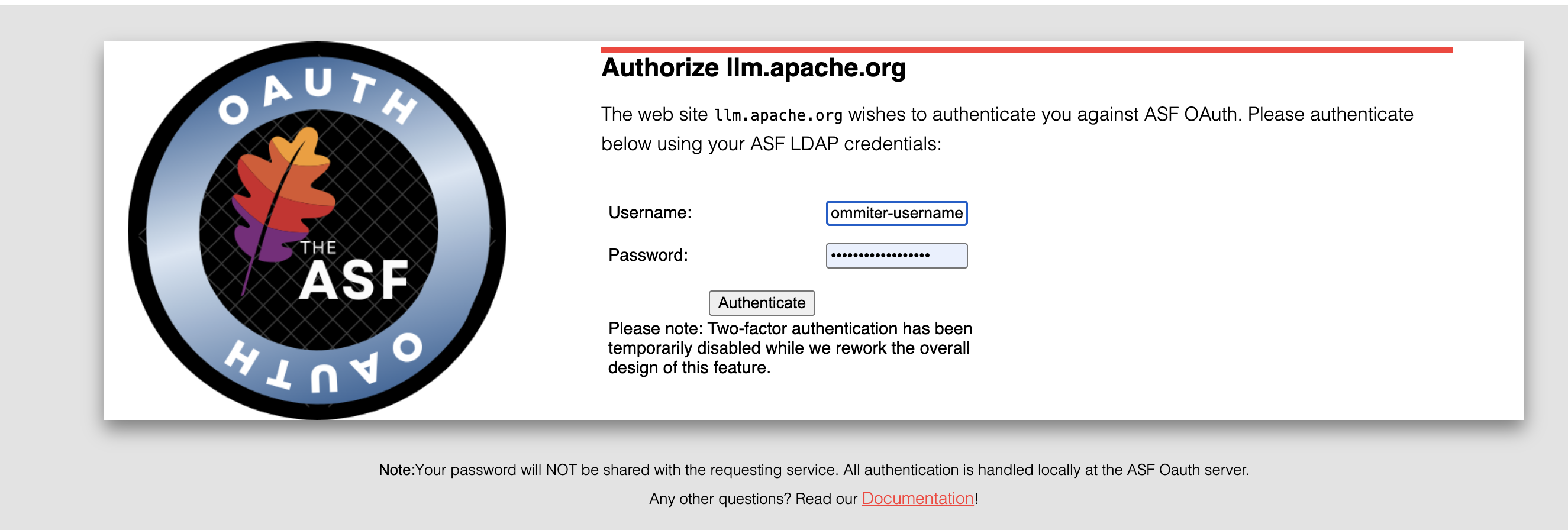
Once you log in, the Welcome page will show an option to “Create a Key”
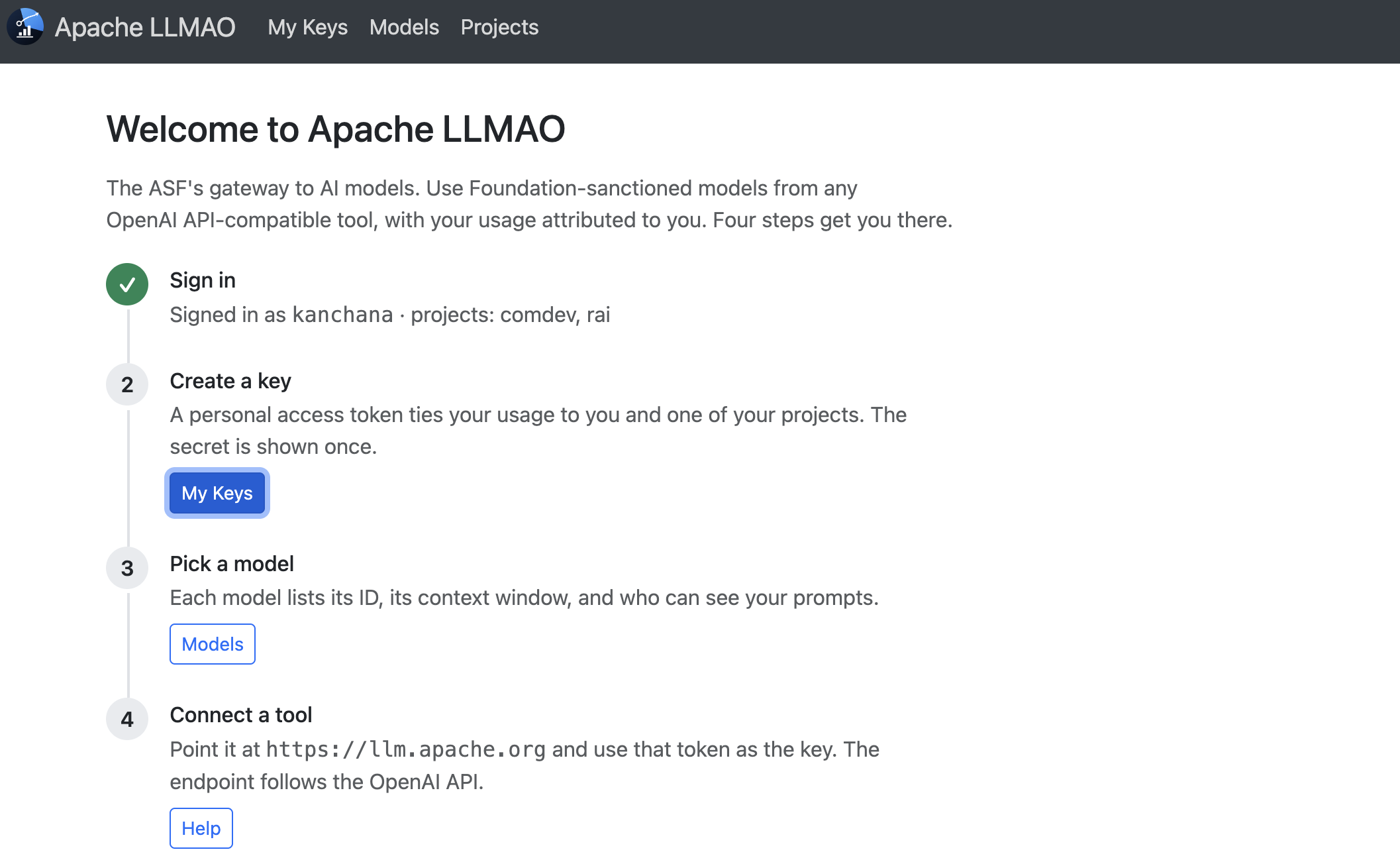
-
Create a key.
Go to My Keys in the top menu and click + Create key. The secret is shown only once, when you create the key.
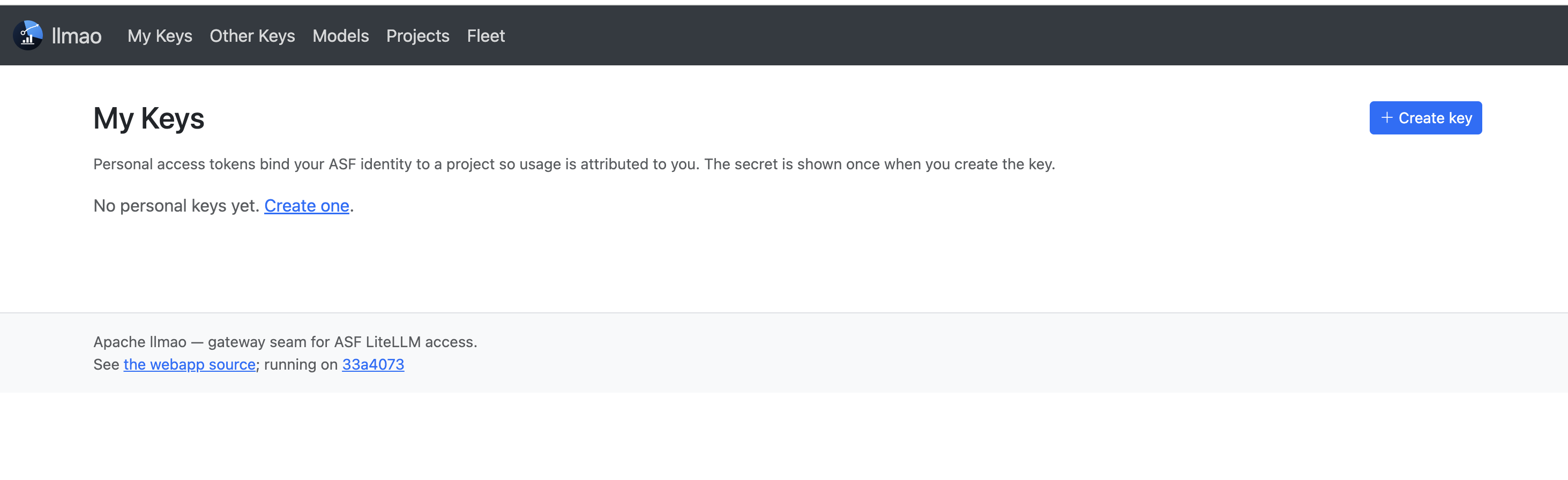
Once the key is created, you’ll see the confirmation below. Click Copy right away, because the secret will not be shown again.
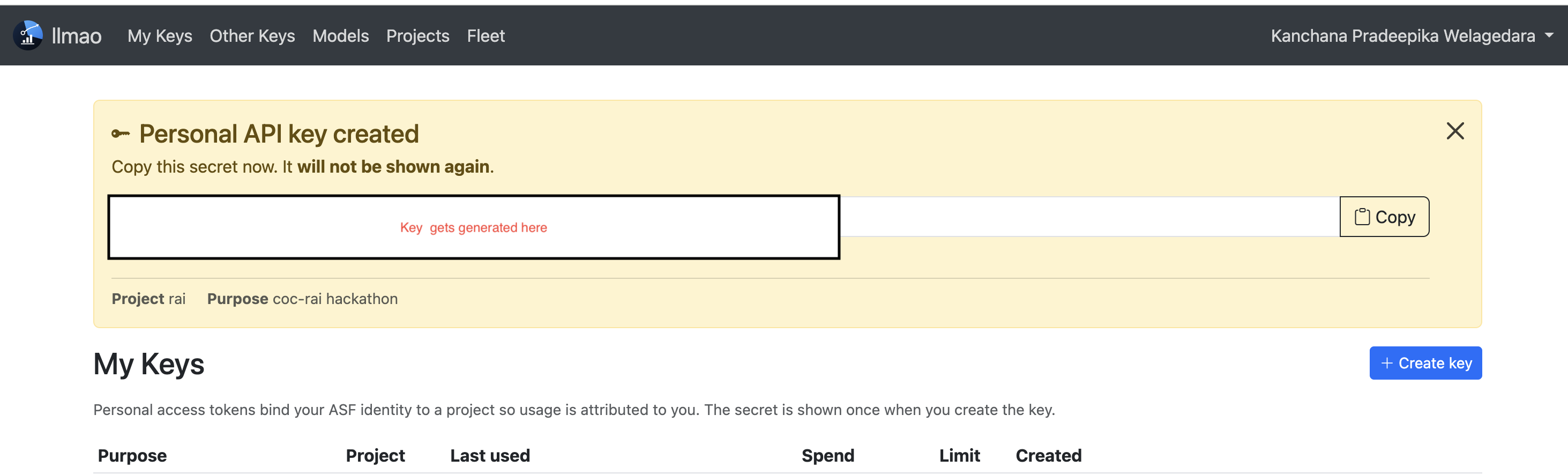
-
Copy the key and keep it somewhere safe. You will need it in step 4.2.
-
For agents:
- Follow the instructions in Connecting your agent.
- Set the environment variables, using the key from step 3.
Tip: Treat the key like a password. Don’t commit it to a repo or paste it into Slack.
2. Contribute
- Browse and pick up open issues: github.com/apache/tooling-llmao/issues
- Join the conversation on Slack in #llm-a-o.
- Learn more ways to get involved with Apache RAI: rai.apache.org/get-involved.html
Quick links
| Resource | Link |
|---|---|
| LLM Fleet (log in, create key) | https://llm.apache.org |
| Agent setup guide | https://github.com/apache/tooling-llmao#connecting-your-agent |
| Issues | https://github.com/apache/tooling-llmao/issues |
| Slack channel | #llm-a-o |
| Apache RAI: Get Involved | https://rai.apache.org/get-involved.html |